A dehumidifier making loud noise can be more than a minor annoyance. Sudden buzzing, rattling, clicking, scraping, or unusually loud humming often indicates vibration, restricted airflow, loose components, or wear inside the appliance that needs attention.
If your dehumidifier is suddenly making loud noise, you can often identify the cause by listening carefully and checking a few common problem areas. The type of sound, when it occurs, and whether it changes as the fan or compressor starts can provide useful clues.
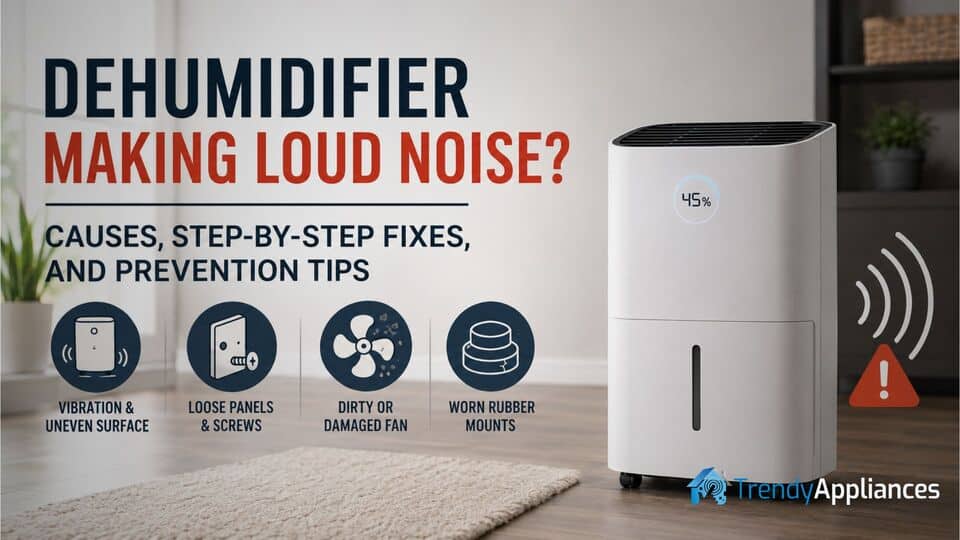
Most noisy dehumidifier problems happen because the unit is sitting unevenly, screws or exterior panels have loosened, the fan blades are dirty or obstructed, or the compressor mounts have started to deteriorate. A clogged filter, improperly seated water bucket, internal debris, or loose wiring can also cause the cabinet to vibrate more than normal.
The good news is that many of these issues are easy to inspect and correct at home. Before assuming the appliance is failing, work through the common causes one by one. A simple cleaning, adjustment, or tightened screw may be enough to restore quieter operation.
If your current unit is old, repeatedly develops vibration problems, or remains excessively loud after basic maintenance, replacing it with one of the best bedroom dehumidifiers may provide quieter and more efficient operation in sleeping areas.
Identifying the Causes of Dehumidifier Noise
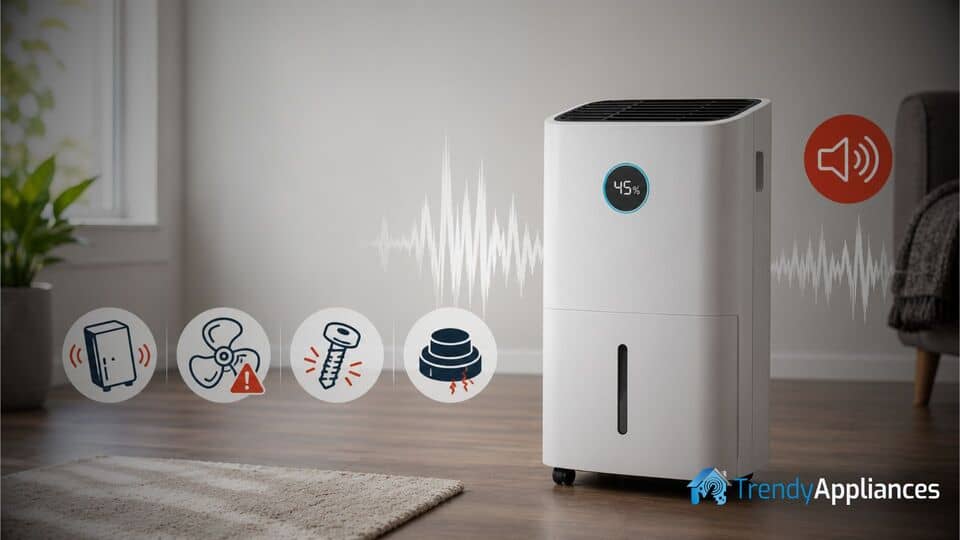
Before attempting repairs, determine where the sound is coming from and what type of noise you are hearing. A vibration-related buzz usually has a different cause than grinding, scraping, or repetitive clicking.
Uneven Placement and Surface Vibration
A dehumidifier placed on thick carpet, warped flooring, loose tiles, or an uneven surface may rock slightly while operating. This movement can amplify normal fan and compressor vibration, turning it into a loud buzzing or rattling sound.
Some floors naturally transfer vibration more easily than others. Hardwood, hollow flooring, or lightweight shelving can act like a sounding board and make a normally operating dehumidifier seem much louder.
Loose Cover Panels or Internal Fasteners
Repeated vibration can gradually loosen screws, plastic housings, grilles, bucket guides, and metal panels. When the appliance runs, these parts may chatter, tap, or rattle against the frame.
The water bucket can also create noise if it is not fully inserted. Even a small gap between the bucket and cabinet may allow it to vibrate whenever the compressor starts.
Dirty, Damaged, or Obstructed Fan Blades
The fan pulls moist air through the filter and cooling coils. Dust, lint, pet hair, or small debris can build up around the blades and throw the fan off balance.
Bent, cracked, or misaligned blades may create clicking, tapping, scraping, or harsh buzzing sounds. A struggling fan motor may also become louder when airflow is restricted by a dirty filter.
Worn Compressor Rubber Mounts
The compressor is usually supported by rubber mounts, cushioning pads, or grommets that isolate vibration from the metal cabinet. These parts can crack, flatten, split, or shift out of place as the appliance ages.
When the cushioning wears out, normal compressor vibration transfers directly into the frame, producing a deep buzz, heavy hum, or shaking sound.
Improperly Seated Water Bucket
A full, misaligned, or loosely fitted water bucket may vibrate against the cabinet. Check that the bucket is empty, correctly positioned, and fully inserted into its guides.
Also inspect the bucket for cracks, damaged tabs, or warped plastic that could prevent it from fitting securely.
Internal Tubing or Wiring Touching the Cabinet
Refrigerant tubing, electrical wiring, insulation, or retaining clips may shift slightly and begin touching the fan shroud or metal cabinet. This often creates an intermittent rattle that appears when the compressor starts or the fan speed changes.
What Different Dehumidifier Noises Usually Mean
The sound itself can help narrow down the likely source of the problem.
- Buzzing: Often caused by surface vibration, loose panels, a strained fan motor, or worn compressor mounts.
- Rattling: Usually points to a loose bucket, cabinet panel, screw, grille, wire, or internal tube.
- Clicking: May indicate a fan blade striking debris, a loose component, or normal control cycling if the sound is occasional.
- Scraping: Often means the fan blade is rubbing against the housing or another internal component.
- Grinding: Can indicate a failing fan motor, damaged bearing, or serious mechanical wear.
- Loud humming: May come from the compressor, restricted airflow, electrical strain, or deteriorated vibration mounts.
- Gurgling or bubbling: Mild refrigerant movement can be normal, but unusually loud or continuous sounds should be inspected.
Step-by-Step Fixes for a Noisy Dehumidifier
Use the following checks to find and fix the source of the noise safely. Begin with the easiest external inspections before opening the cabinet.
- Unplug the dehumidifier before removing panels, cleaning internal components, or touching moving parts.
- Empty the water bucket and reinstall it securely.
- Inspect the air filter for heavy dust, lint, or airflow blockage.
- Move the unit to a hard, level surface to determine whether the floor is amplifying vibration.
- Gather basic tools such as a screwdriver, flashlight, soft brush, vacuum, and clean cloth.
- Read the appliance manual before opening the cabinet or ordering replacement components.
- Do not touch electrical components unless you are qualified to work on appliances.
Level the Unit and Dampen Vibrations
If the noise changes depending on where the appliance is placed, surface vibration may be the main problem. This is the easiest repair to try first and often stops loud buzzing immediately.
- Turn off and unplug the dehumidifier.
- Empty the water bucket to reduce weight and prevent spills.
- Move the appliance to a solid, level surface such as tile, vinyl, concrete, or hardwood.
- Avoid placing it directly on thick carpet or an unstable platform.
- Press gently on each top corner to check whether the cabinet rocks from side to side.
- Adjust the position until all feet or caster wheels sit evenly on the floor.
- Clean underneath the feet or wheels in case dirt or debris is lifting one side.
- Inspect the feet for cracks, missing pads, or uneven wear.
- Place thin rubber furniture pads, anti-vibration pads, or a vibration-dampening mat beneath the unit if the floor amplifies sound.
- Plug the appliance back in and run it for several minutes to compare the noise.
If the buzzing drops noticeably after leveling the appliance, the primary cause was likely vibration transfer rather than a failing internal component.
Secure External Panels and Tighten Screws
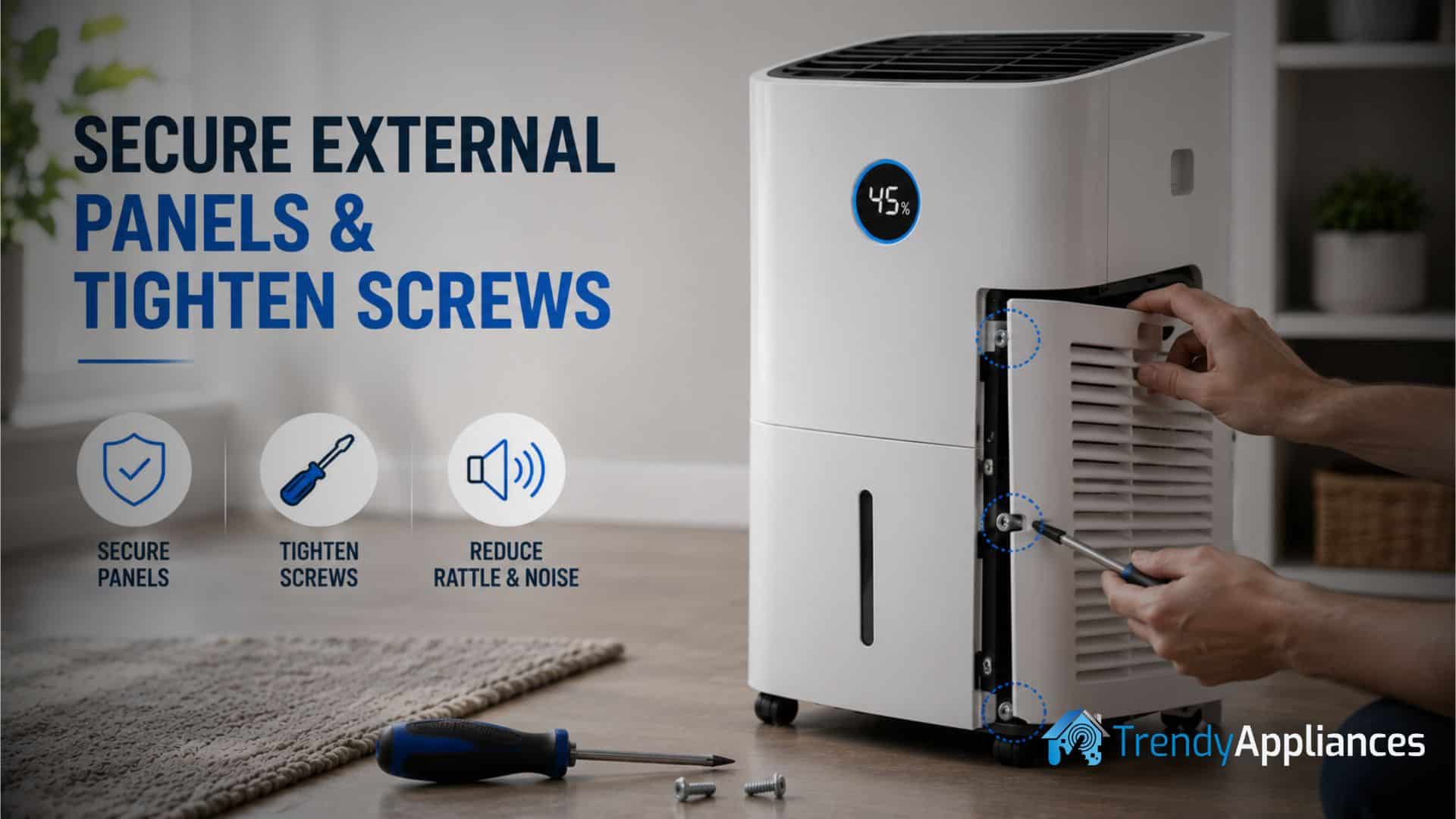
A rattling cabinet often means the outer shell, grille, bucket housing, rear cover, or mounting screws have loosened. Securing these components can stop repeated shaking and tapping noises during operation.
- Unplug the dehumidifier and remove the water bucket.
- Inspect the front grille, side panels, rear cover, top housing, and bucket area for visible gaps or misalignment.
- Check whether any panel moves when pressed gently.
- Use the correct screwdriver to tighten accessible screws.
- Tighten screws gradually and evenly rather than fully tightening one side first.
- Avoid over-tightening screws in plastic components because the housing may crack.
- Check whether the bucket slides into place securely and activates the bucket switch correctly.
- Inspect plastic clips and retaining tabs for cracks or damage.
- If a panel tab is broken, replace the panel or clip when possible instead of relying on an unsafe temporary repair.
- Reinstall the bucket firmly and test the appliance again.
Sometimes the noise comes entirely from the bucket or an exterior panel vibrating against the frame. Tightening or repositioning these parts can make a larger difference than expected.
Clean the Filter and Air Intake
A clogged filter restricts airflow and forces the fan to work harder. This can increase fan noise, vibration, heat buildup, and compressor strain.
- Turn off and unplug the dehumidifier.
- Remove the air filter according to the manufacturer's instructions.
- Vacuum loose dust using a soft brush attachment.
- If the filter is washable, rinse it with lukewarm water.
- Do not use harsh chemicals unless the manufacturer specifically recommends them.
- Allow the filter to dry completely before reinstalling it.
- Vacuum dust from the air intake grille and surrounding vents.
- Make sure furniture, curtains, walls, and other objects are not blocking airflow.
Regular cleaning can reduce noise and improve moisture removal. For a more complete maintenance process, follow our guide explaining how to clean a dehumidifier properly, including the filter, bucket, coils, intake, and exterior housing.
Clean and Realign the Fan Assembly
If the unit remains noisy after the exterior is secure and the filter is clean, the fan may be dirty, obstructed, or slightly out of alignment. Fan problems commonly produce repetitive clicking, scraping, tapping, or harsh buzzing.
- Unplug the dehumidifier and remove the filter.
- Open the access panel only if the appliance is designed for safe user access.
- Use a flashlight to inspect the fan blades and surrounding housing.
- Look for dust clumps, lint, pet hair, insulation, or small debris near the blades.
- Clean the fan carefully with a soft brush, dry cloth, or low-powered vacuum.
- Do not bend the blades while cleaning.
- If accessible, rotate the fan slowly by hand.
- Confirm that the fan turns smoothly and does not scrape against the housing.
- Inspect each blade for cracks, warping, or obvious misalignment.
- If a blade is only slightly bent, adjust it carefully and minimally.
- Replace the fan blade or assembly if it is cracked, severely warped, or loose on the motor shaft.
- Reassemble the appliance, reinstall the filter, and run a test cycle.
A balanced and unobstructed fan should move air smoothly. If the sound changes from rattling or scraping to a steady airflow noise, the fan was likely the source of the problem.
Inspect and Replace Cushioning Grommets
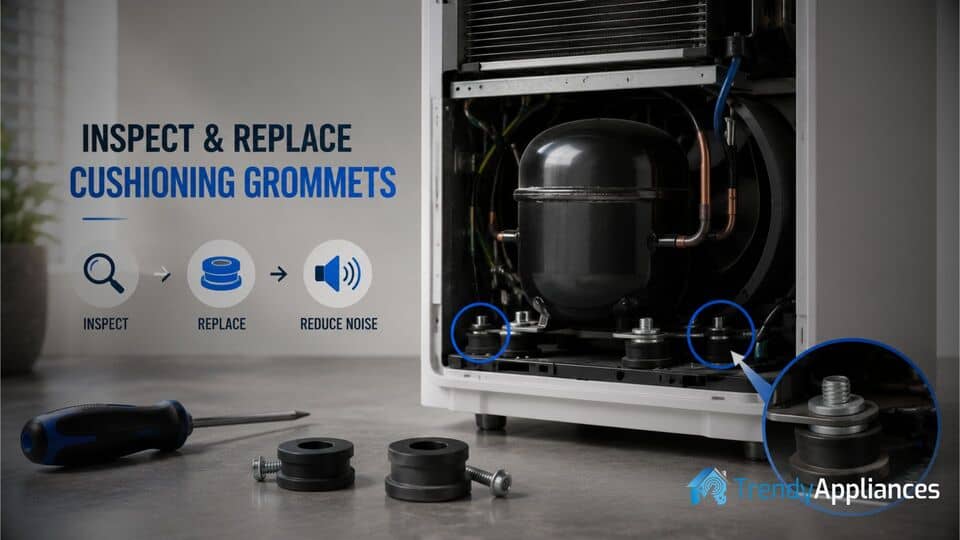
When a dehumidifier making loud noise produces a deep buzz or heavy vibration, worn rubber mounts, pads, or cushioning grommets may be responsible. These components isolate the compressor and motor from the cabinet.
- Disconnect the appliance from power.
- Open the cabinet only if the model allows safe access and doing so will not create an electrical or refrigerant hazard.
- Locate the rubber mounts, grommets, or pads around the compressor or motor assembly.
- Inspect them for cracking, flattening, splitting, hardening, or deformation.
- Check whether any mount has slipped out of position.
- Inspect the retaining bolts and brackets for looseness.
- Tighten loose hardware carefully without compressing the rubber excessively.
- Replace damaged mounts with parts designed for the exact dehumidifier model.
- Make sure the compressor or motor sits evenly after installation.
- Confirm that no metal section is touching the cabinet directly.
- Reassemble the unit and test for reduced vibration.
If compressor vibration was transferring directly into the metal frame, fresh mounts can significantly reduce the sound level.
If the appliance also feels unusually hot while producing excessive noise, stop using it and inspect it for airflow or compressor problems. Our troubleshooting guide on how to fix a dehumidifier that is overheating covers clogged filters, blocked vents, dirty coils, fan problems, and other possible causes.
Remove Obstructions and Check for Internal Contact
Sometimes the noise comes from a wire, tube, insulation panel, clip, or internal component touching the fan shroud or cabinet while the appliance runs. This can create an intermittent rattle that is difficult to identify from outside.
- Unplug the unit and open the service panel if it is safely accessible.
- Use a flashlight to inspect for loose wiring, tubing, insulation, brackets, and retaining clips.
- Look for shiny wear marks or scratches that suggest two parts have been rubbing together.
- Check whether any wire or tube is resting against the fan housing.
- Reposition loose wiring or tubing without bending, pinching, or damaging it.
- Secure loose items with the proper factory clips, retainers, or insulated ties.
- Do not attach anything directly to hot compressor tubing.
- Make sure no component can move into the fan path after reassembly.
- Reassemble the cabinet and test the dehumidifier.
This step is particularly useful when the rattling starts and stops as the fan speed changes or the compressor cycles on and off.
Check the Water Bucket and Float Mechanism
The water bucket and its float mechanism can also produce rattling or clicking noises if they are loose, damaged, or incorrectly installed.
- Remove and empty the water bucket.
- Inspect it for cracks, warped edges, or damaged guide tabs.
- Check whether the float moves freely without sticking.
- Clean dirt or mineral deposits from the bucket rails and mounting area.
- Slide the bucket back into place slowly.
- Confirm that it sits flush with the cabinet and does not move when gently pressed.
If the sound disappears when you hold the bucket firmly against the appliance, the bucket fit or retaining mechanism likely needs adjustment or replacement.
Inspect the Fan Motor and Bearings
A grinding, squealing, or metallic scraping sound may indicate worn fan motor bearings. This is more serious than ordinary vibration or a dirty fan blade.
With the appliance unplugged, rotate the fan gently by hand if it is safely accessible. Resistance, wobbling, grinding, or side-to-side movement may indicate a damaged motor or bearing.
Replacing a fan motor often requires disassembly and electrical connections. Unless you have appliance repair experience, this work is better handled by a qualified technician.
When the Compressor Is the Source of the Noise
A compressor normally produces a low, steady hum and may sound slightly louder for a moment when it starts. However, harsh metallic buzzing, knocking, repeated clicking, or excessive shaking can indicate compressor wear, electrical problems, or damaged mounts.
Do not attempt to open or repair the sealed compressor. It contains pressurized refrigerant and requires specialist equipment and training.
Contact a professional technician when:
- The compressor makes loud knocking or metallic grinding sounds.
- The appliance repeatedly clicks but does not start properly.
- The dehumidifier trips a circuit breaker.
- The cabinet becomes excessively hot.
- You smell burning or melting plastic.
- The unit vibrates violently despite being level.
- The noise continues after cleaning and securing accessible components.
Verifying the Repair
After each repair, run the dehumidifier for at least 10 to 15 minutes in its normal location. Listen during startup, steady fan operation, compressor activation, and compressor shutdown.
Do not assume the problem is solved immediately after switching the appliance on. Some noises only appear once the compressor warms up or the fan changes speed.
During the test, check the following:
- The appliance remains stable and does not rock.
- The bucket stays firmly seated.
- The fan produces smooth, consistent airflow.
- No exterior panel rattles when lightly pressed.
- The compressor hum remains steady rather than harsh or metallic.
- The power cord, plug, and outlet do not become unusually warm.
- The appliance continues collecting water normally.
If the noise returns, note exactly when it happens. For example, determine whether it begins with the fan, only when the compressor activates, or when the water bucket becomes partially full.
How to Prevent Dehumidifier Noise in the Future
Regular maintenance is the most effective way to prevent unnecessary noise. Keep the filter clean, vacuum around the intake and exhaust vents, and remove dust before it reaches the fan or coils.
Place the appliance on a hard, level surface with enough space around all air vents. Avoid thick carpet, unstable furniture, enclosed cabinets, or positions where curtains can block airflow.
Empty the water bucket regularly and reinstall it carefully each time. A partially seated bucket can vibrate against the frame or interfere with the safety switch.
Every few months, inspect the exterior cabinet for loose screws, damaged clips, worn feet, and misaligned panels. Addressing a small rattle early can prevent further wear on the fan, motor, mounts, and cabinet.
Also monitor the appliance for rising operating temperatures. Restricted airflow and excessive heat can increase fan speed, compressor strain, vibration, and noise.
When It May Be Better to Replace the Dehumidifier
If you have leveled the appliance, cleaned the filter and fan, tightened loose panels, reseated the bucket, and replaced worn mounts but the noise continues, the compressor or fan motor may be nearing the end of its service life.
Replacement may be more practical when:
- The dehumidifier is several years old and no longer removes moisture effectively.
- The compressor makes loud mechanical or metallic noises.
- The repair cost approaches the price of a new appliance.
- Replacement parts are unavailable.
- The unit frequently overheats, shuts down, or trips breakers.
- The fan motor or compressor has already failed more than once.
- The appliance uses significantly more electricity than newer models.
For larger spaces, basements, or multiple connected rooms, a portable model may also be too small and may run almost continuously. In that situation, one of the best whole-house dehumidifiers may provide more effective moisture control with less strain and more consistent operation.
Frequently Asked Questions
Is it normal for a dehumidifier to make some noise?
Yes. Most dehumidifiers produce steady airflow from the fan and a low compressor hum. You may also hear a click when the compressor starts or stops. The sound becomes concerning when the appliance suddenly becomes much louder or starts rattling, scraping, grinding, or buzzing harshly.
Why is my dehumidifier buzzing but still working?
A buzzing dehumidifier may continue operating when the cause is surface vibration, a loose cabinet panel, restricted airflow, a dirty fan, an improperly seated bucket, or worn compressor mounts. Although the appliance may still collect water, the source of the noise should be investigated before it causes additional wear.
Why does my dehumidifier rattle when the compressor starts?
The sudden movement created when the compressor activates may cause a loose panel, bucket, tube, wire, or mounting bracket to vibrate. Worn rubber compressor mounts can also transfer startup vibration directly into the cabinet.
Why is my dehumidifier making a clicking noise?
An occasional click may be normal when the compressor or control relay activates. Repeated clicking may indicate a loose fan obstruction, a failing relay, an overloaded compressor, or a safety switch problem.
Why is my dehumidifier fan making a scraping sound?
A scraping sound usually means the fan blade is rubbing against the housing, debris, wiring, insulation, or another internal component. Turn off and unplug the appliance before inspecting the fan area.
Can a dirty filter make a dehumidifier louder?
Yes. A clogged filter restricts airflow and forces the fan and compressor to work harder. This can increase humming, airflow noise, vibration, operating temperature, and energy consumption.
Can I put a rubber mat under my dehumidifier?
A thin, firm anti-vibration mat can reduce sound transfer through hard flooring. Do not use a thick or soft mat that makes the appliance unstable or blocks vents underneath the cabinet.
When should I stop using a noisy dehumidifier?
Stop using the appliance if you hear grinding, metallic knocking, repeated electrical clicking, or fan blades striking internal components. You should also unplug it if you smell burning, notice smoke, see melting plastic, experience overheating, or find that it repeatedly trips the circuit breaker.
Can I repair a noisy dehumidifier myself?
Many simple repairs are DIY-friendly, including leveling the unit, cleaning the filter, securing the bucket, tightening accessible screws, cleaning the fan, and checking exterior panels. Compressor, refrigerant, motor, capacitor, and electrical repairs should usually be handled by a qualified appliance technician.
How often should I clean my dehumidifier?
Inspect the filter every two to four weeks during regular use and clean it according to the manufacturer's instructions. The bucket, intake, exhaust grille, and exterior should also be cleaned regularly. Dusty homes or homes with pets may require more frequent maintenance.
A dehumidifier making loud noise does not always mean the appliance is beyond repair. In many cases, the cause is a simple issue such as vibration from an uneven floor, a loose panel, a dirty fan, restricted airflow, an improperly seated bucket, or worn rubber supports.
By checking the unit methodically and applying the appropriate fix, you can often restore quieter performance, improve efficiency, and extend the life of the appliance. However, if your dehumidifier making loud noise continues after cleaning, leveling, tightening, and inspecting accessible components, professional service or replacement may be the safest long-term solution.